


Guardian mode for falls
Thanks to the Guardian mode, you can be alerted about accidents/falls of the person wearing the iK Health device. To set it up, you must follow the steps below:
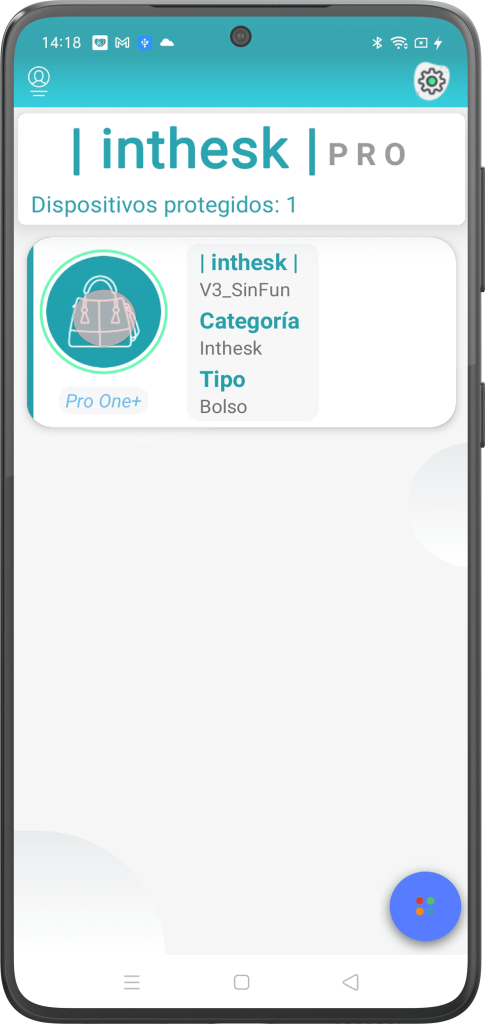
Access the device for which you want to activate the Guardian mode by clicking on it.
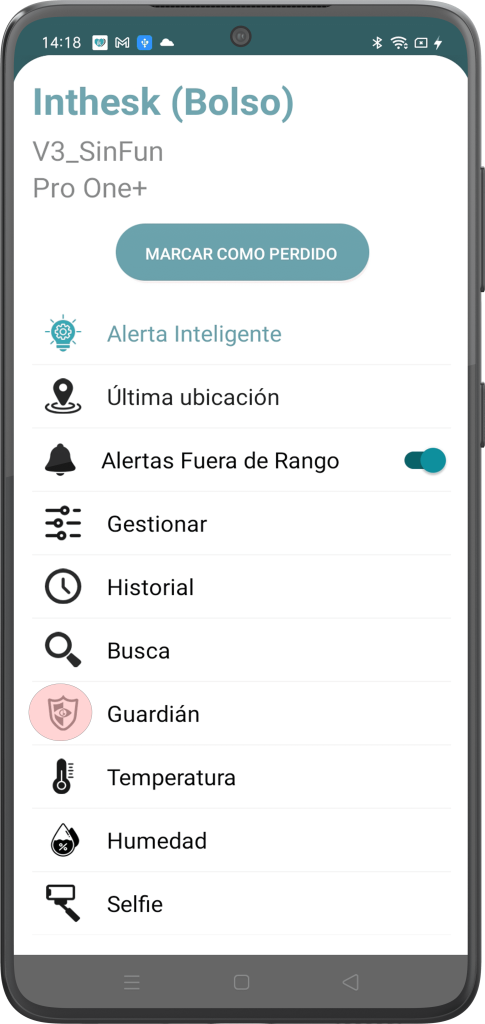
In the menu, click on “Guardian”.
You can then configure your Guardian mode with three different sensitivities:
- Motion.
- Mild Drop.
- Severe Fall.
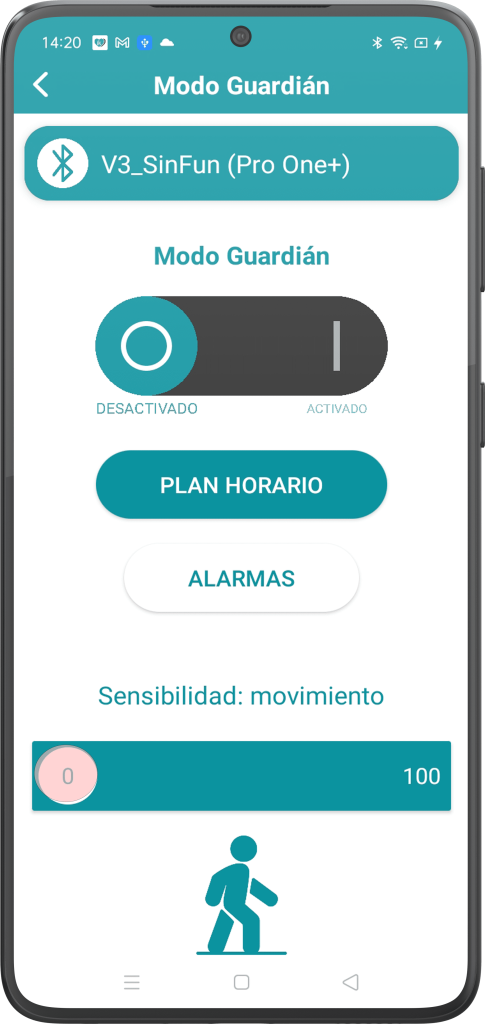
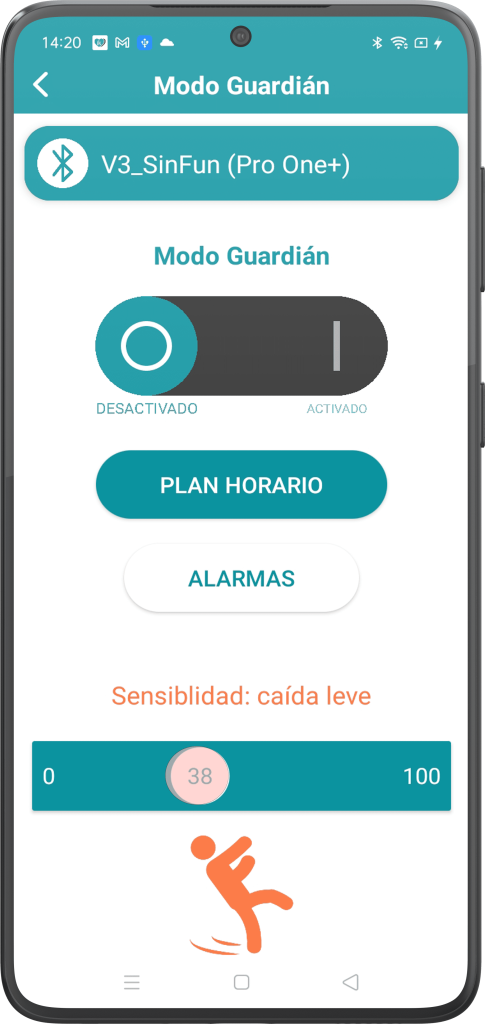
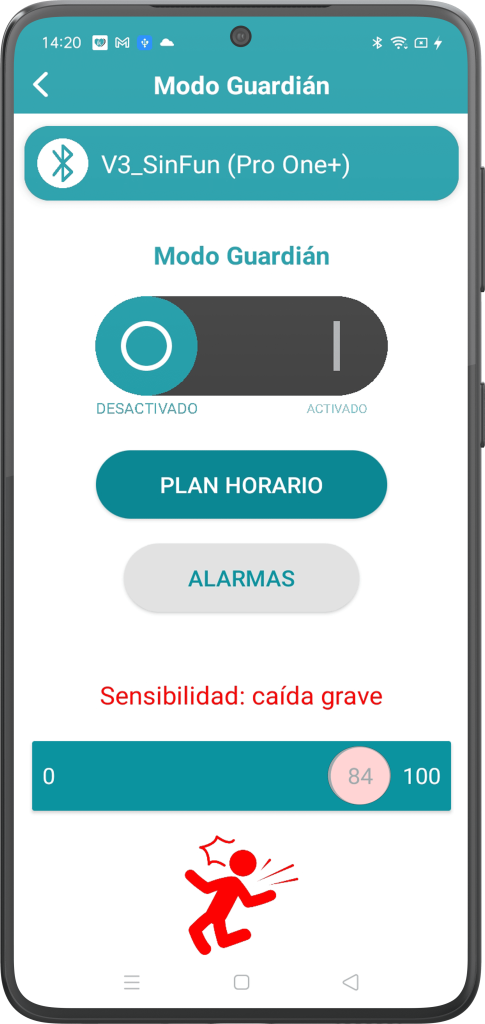
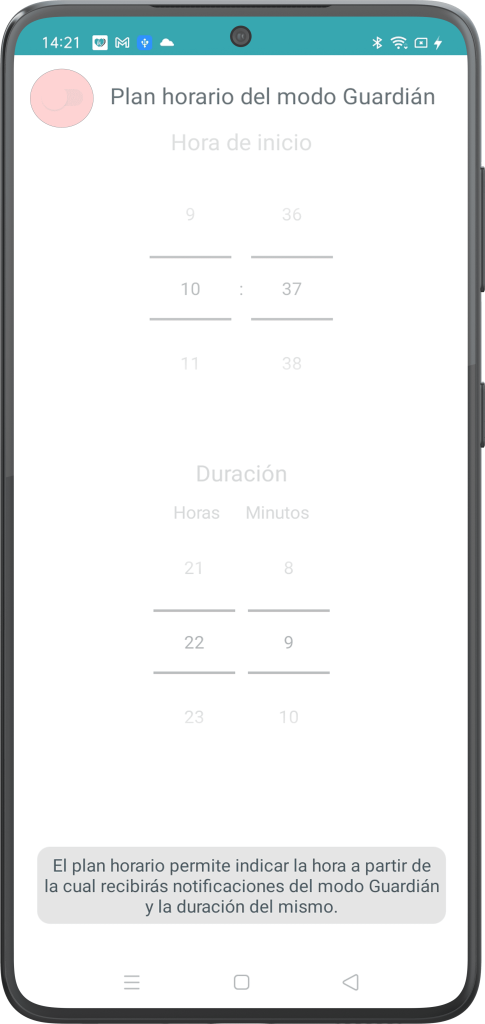
Thanks to the “Time Plan” function, you can also set from what time and until what time you want this unique inthesk mode to be active.
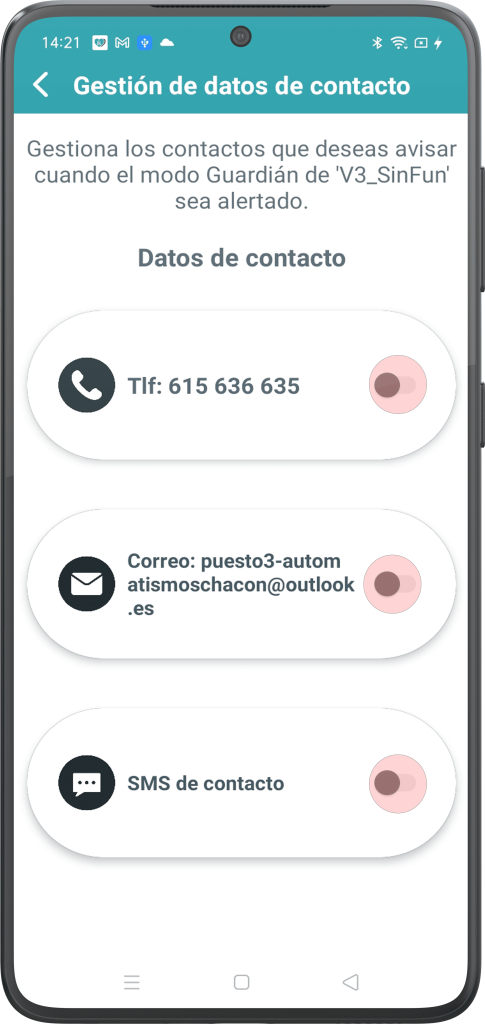
These notifications can be received on a contact number via call/SMS or an email that you provide to our application.
Thank you for your trust in inthesk.