Ajuda - Ajuda com Android - Wiko

Search

Wiko

Story

We are still collecting feedback on Wiko devices, so the following may not be a exhaustive list of issues. Wiko devices are however definitely problematic in terms of non-standard background process optimizations and adjustments to the settings that need to be done to make apps work properly.


Solution for users
  • Go to Phone Assistant / Manager > Battery > turn off Eco Mode.
  • Go back and go to Manual mode
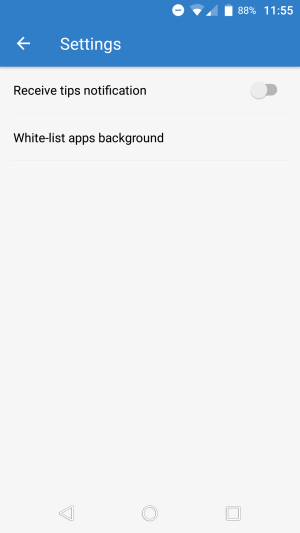
  • Tap on the Gear icon on top right > Background apps whitelist > Now select Your app
wiko_1

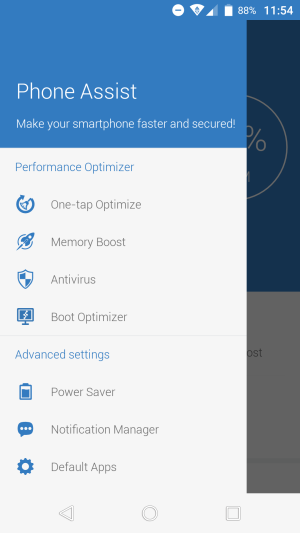
1. Start Phone assist and tap Power Saver
wiko_2

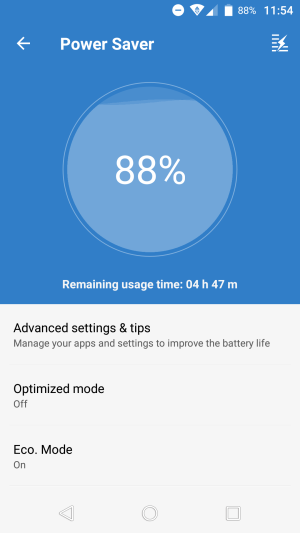
2. Turn Eco. Mode OFF and tap "Optimized mode"
wiko_3

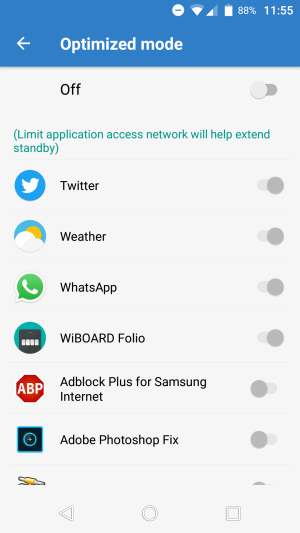
3. Disable "Optimized mode", or make sure your app is not optimized
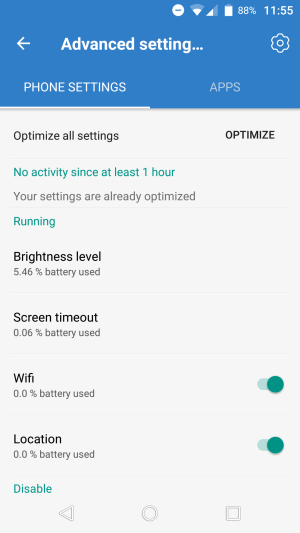
wiko_4

4. Go to "Advanced settings"

wiko_5

5. Get to the background process whitelist
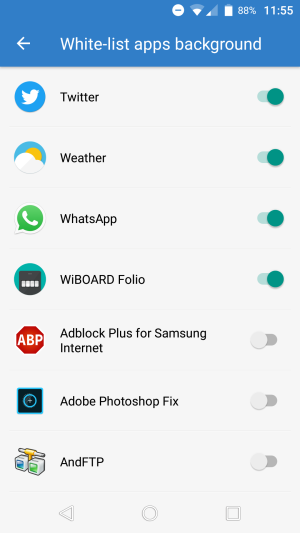
wiko_6

6. Make sure your app is on the list

Alternatively:

Go to dialer and put the code *#*#86569726#*#* and uncheck Lowram Enable and Background enable.

Note: This needs to be done again after reboot.

Apoio

Segunda-feira – sexta-feira

07:00 AM – 15:00 PM

support@inthesk.net