
 Español
 Français
 Deutsch
 Português
Asus
Story
On Asus devices there is an optimization app called Power Master pre-installed with some modifications made by default, e.g. blocking apps from starting and killing background tasks when your screen turns off.
However, if you know how, you can easily disable these.
Solution for users
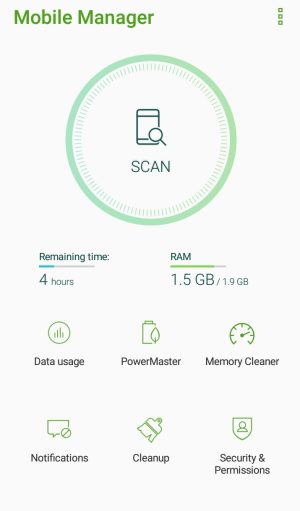
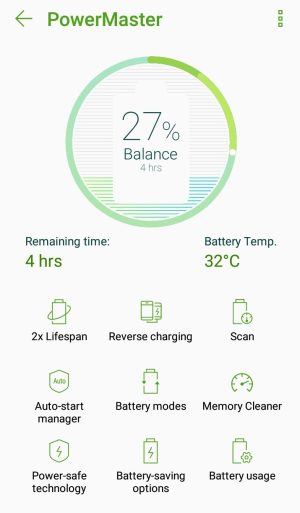
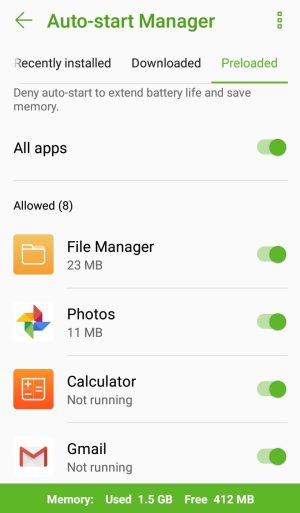
The evil app on Asus is called Power Master – see the screenshots below. To make sure apps background processing works, set up the following:
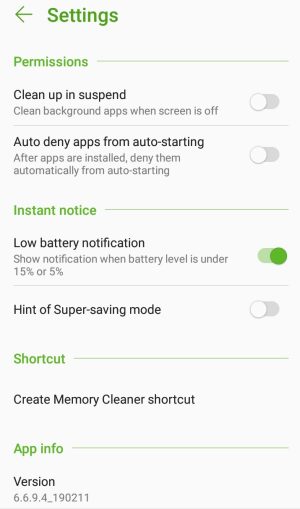
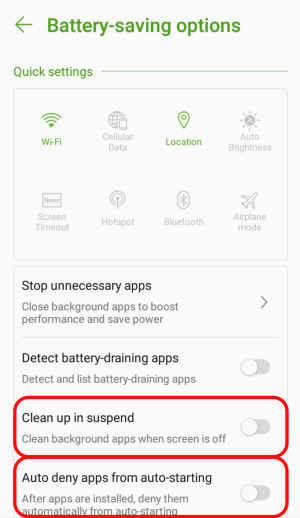
- Uncheck Mobile Manager > PowerMaster > Settings (or Battery-saving options) > Clean up in suspend
- Uncheck Mobile Manager > PowerMaster > Settings (or Battery-saving options) > Auto-deny apps from auto starting.
See below for screenshots.